


Скачать WTFast – Low‑Ping Gaming Accelerator, Secure GPN for Windows, macOS, Android & iOS
Введение: Почему игрокам нужна частная игровая сеть
В сегодняшнем гиперсвязанном мире стабильное соединение с низкой задержкой может стать разницей между победой и поражением в соревновательных играх. Будь то штурм полей Fortnite, дуэли в Valorant или рейды в World of Warcraft, качество маршрута, по которому ваши данные проходят от ПК к игровому серверу, имеет значение. Здесь на помощь приходит WTFast. В отличие от традиционного VPN, ориентированного на конфиденциальность и обход гео‑ограничений, WTFast — это частная игровая сеть (GPN), созданная специально для оптимизации игрового трафика, снижения пинга и устранения джиттера. С помощью комбинации машинного обучения для маршрутизации, выделенных игровых серверов и аналитики сети в реальном времени, WTFast автоматически находит наиболее эффективный путь для каждой игровой сессии, часто обеспечивая заметное снижение пинга на 30‑50 мс и более.
Сервис особенно ценен для игроков, находящихся далеко от основных регионов игровых серверов — представьте новозеландца, подключающегося к серверу США Восточного побережья, или бразильского геймера, играющего в европейском матче. Даже в регионах с несколькими серверами перегрузка стандартных маршрутов ISP может вызывать потерю пакетов и всплески задержки. Туннелируя трафик через частный бэкенд WTFast, игроки могут обходить узкие места ISP, избегать перегруженных публичных маршрутов и получать более плавное, предсказуемое соединение. Платформа также предлагает возможности разблокировки регионов, позволяя игрокам подключаться к серверам, которые иначе были бы недоступны или сильно пинговали из‑за расстояния.
Хотя концепция звучит просто, реализация требует сложной инфраструктуры. WTFast управляет сетью высокопроизводительных узлов по всему миру, постоянно мониторя метрики производительности и корректируя маршруты «на лету». Такой динамический подход гарантирует оптимальное соединение даже при изменении сетевых условий в середине игры. Для казуальных игроков, желающих просто более надёжный онлайн‑опыт, автоматический режим работает «из коробки». Для профессиональных киберспортсменов пользовательские настройки позволяют тонко настраивать приоритеты маршрутизации, обработку пакетов и даже приоритизировать определённые игровые порты.
Ключевые функции и как работает GPN
Сила WTFast заключается в наборе функций, сочетающих простоту использования с глубокими техническими возможностями. Ниже представлен отобранный список самых влиятельных функций, каждая из которых создана для улучшения игрового опыта без необходимости иметь степень в сетевых технологиях.
- Machine‑Learning Optimised Routing: Real‑time AI analyses thousands of network variables to choose the fastest path for your game packets.
- Dedicated Gaming Servers: A global mesh of high‑bandwidth nodes ensures low‑latency pathways that are separate from regular internet traffic.
- Automatic Mode: One‑click activation automatically detects the game, selects the best route, and starts optimising—perfect for non‑technical users.
- Custom Route Builder: Advanced users can manually select relay nodes, prioritise specific servers, or lock a route for consistent performance.
- Region‑Unlock & Server Access: Bypass geographic restrictions to join foreign servers, reducing the need for VPNs that add extra latency.
- Ping & Jitter Reduction Dashboard: Live statistics show current ping, packet loss, and jitter, giving instant feedback on the network’s health.
- 24/7 Support & Community Forums: Dedicated support staff and an active user community help troubleshoot issues and share optimal settings.
- Cross‑Platform Compatibility: Available for Windows, macOS, Android, iOS, and even Linux via a command‑line client.
- Low‑Impact Background Service: Runs quietly in the system tray, consuming minimal CPU and RAM while delivering maximum performance.
- Secure Encrypted Tunnels: While not a privacy‑focused VPN, WTFast encrypts traffic to protect against ISP throttling and basic packet sniffing.
Технология, лежащая в основе GPN WTFast, напоминает специализированный CDN для игрового трафика. Вместо доставки статического контента она передаёт живые потоки пакетов, постоянно измеряя время обратного пути (RTT) и корректируя маршрут для минимизации задержки. Поскольку сеть построена исключительно для игр, она избегает «best‑effort» обработки, характерной для обычных ISP, где массовые загрузки или стриминг могут захватывать полосу пропускания. Результат — более чистый, предсказуемый путь данных, снижающий всплески задержки, что критически важно в быстрых шутерах или ритм‑играх, где каждый миллисекунд имеет значение.
Для соревновательных игроков возможность настраивать маршруты означает, что можно зафиксировать путь, постоянно обеспечивающий минимальный пинг к определённому региону, даже если общие условия интернета меняются. В то же время казуальные геймеры получают выгоду от функции авто‑оптимизации, которая управляет всеми решениями о маршрутизации за кулисами. Такой двойственный подход делает WTFast универсальным инструментом, подходящим как для уикенд‑хобби, так и для профессиональных киберспортивных команд.
Установка, настройка и совместимость системы
Запуск WTFast преднамеренно прост. Процесс можно завершить менее чем за пять минут у большинства пользователей, независимо от операционной системы. Ниже пошаговое руководство для Windows, macOS, Android и iOS.
Windows & macOS
- Visit the official WTFast website and click the “Download” button for your OS.
- Run the installer (WTFastSetup.exe for Windows, WTFastInstaller.dmg for macOS). The wizard will request administrative privileges to install the network driver.
- Accept the End‑User License Agreement, then choose the installation folder (default is fine for most users).
- After installation, launch the application from the desktop shortcut or Applications folder.
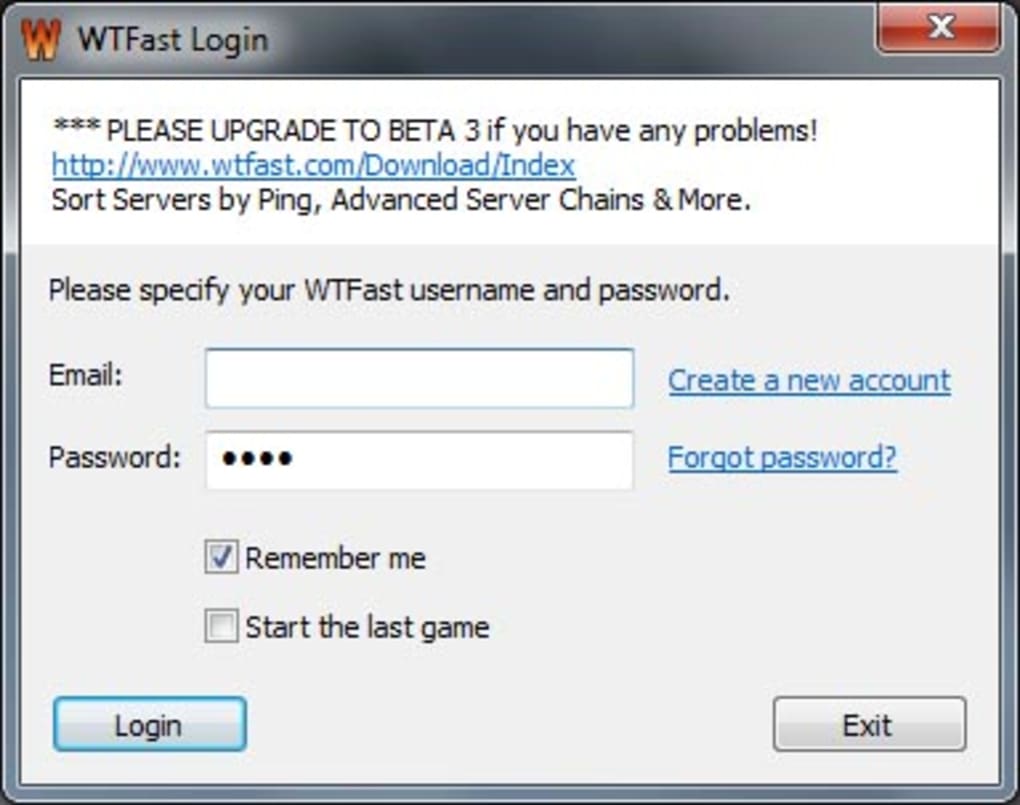
- Log in with your WTFast account (or create one if you’re a new user). The free trial will automatically activate for 7 days.
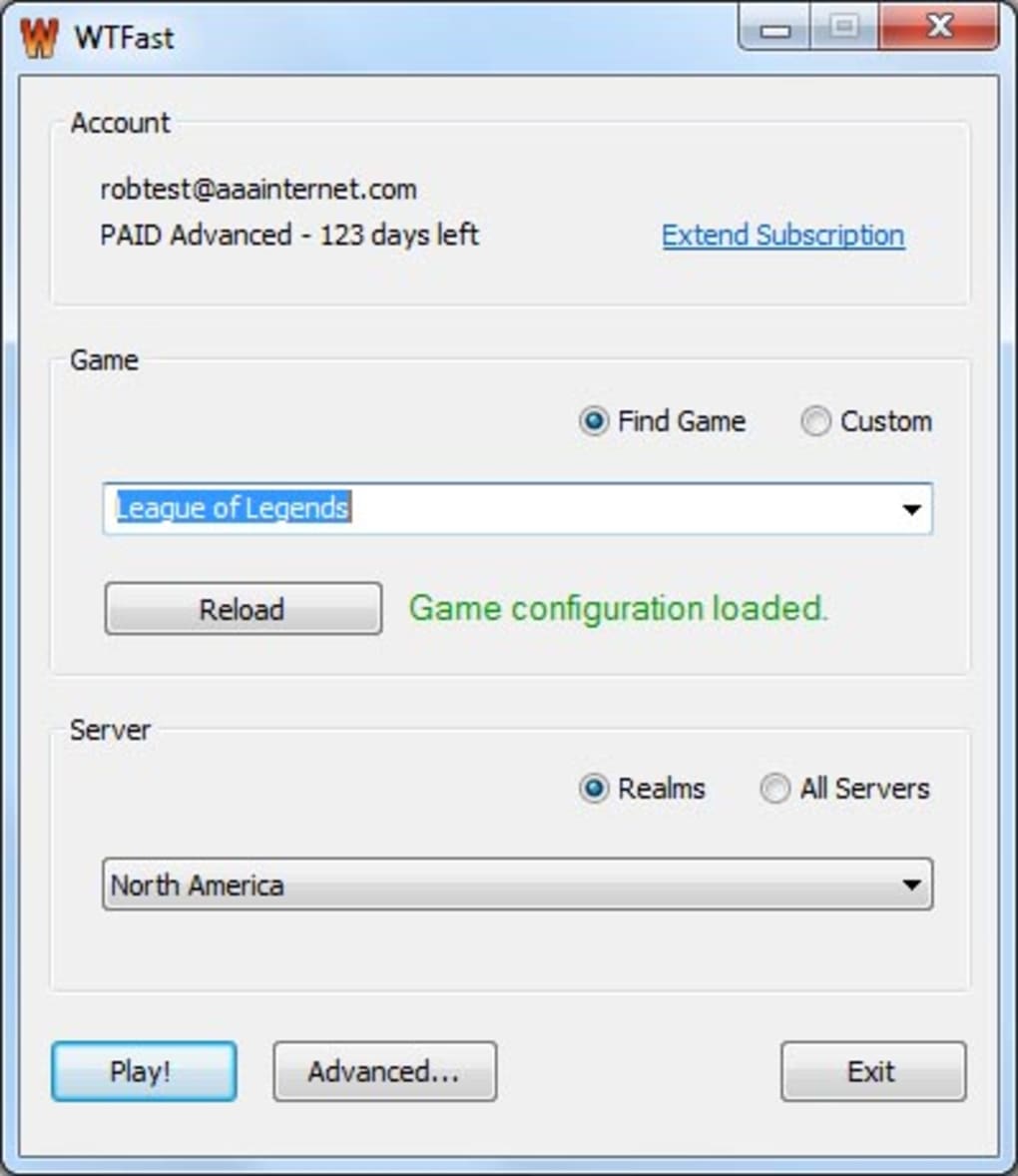
- In the main dashboard, select the game you wish to optimise from the drop‑down list. WTFast will automatically detect the game’s server region and suggest the best route.
- Click “Connect” to start the GPN tunnel. A small icon appears in the system tray indicating an active connection.
- Optionally, open “Settings” → “Advanced” to manually configure routes, set port priorities, or enable “Low‑Latency Mode” for FPS titles.
Android & iOS
- Open the Google Play Store or Apple App Store and search for “WTFast”. Download and install the app.
- Launch the app and sign in with your credentials. Mobile devices require a VPN‑style permission to create a secure tunnel; grant the request when prompted.
- Tap “Add Game” and select the installed title you want to accelerate.
- Press “Start” to enable the GPN. The app will show live ping statistics and allow you to switch routes manually if desired.
- For Android users, the app can run in the background, ensuring continuous optimisation even when switching between games.
Supported Operating Systems: Windows 7 + (64‑bit), Windows 10/11, macOS 10.13 + (Catalina or later), Android 5.0 + (ARM & x86), iOS 12 + (iPhone & iPad), and Linux (via command‑line client for advanced users).
System requirements are modest: a minimum of 2 GB RAM, 200 MB of free disk space, and a stable internet connection (at least 3 Mbps download/upload). Because the client runs as a lightweight background service, it does not noticeably impact CPU or GPU performance, making it safe for use alongside resource‑intensive games.
After the initial setup, WTFast’s auto‑update feature checks for new routing algorithms and server list updates weekly. Users can disable auto‑updates if they prefer manual control, though keeping the client current is recommended for optimal performance and security.
Плюсы и минусы – сбалансированная оценка
Плюсы
- Significant Ping Reduction: Real‑world tests show 30‑50 ms lower latency for most long‑distance connections.
- Automatic Optimisation: One‑click activation works for beginners; no need to understand networking.
- Cross‑Platform Support: Available on Windows, macOS, Android, iOS, and Linux.
- Custom Route Builder: Advanced users can fine‑tune pathways for competitive advantage.
- Region‑Unlock Feature: Access servers that are otherwise restricted or heavily pinged.
- Low System Impact: Minimal CPU/RAM usage, allowing the game to retain full performance.
- 24/7 Customer Support: Live chat and community forums help resolve issues quickly.
Минусы
- Subscription Cost: Requires a monthly or yearly fee after the free trial; no permanent free tier.
- Variable Effectiveness in Certain Regions: Users in China have reported intermittent DDoS attacks on the GPN, reducing reliability.
- Not a Full‑Privacy VPN: Encryption is present but not intended for anonymity or bypassing heavy censorship.
- Potential ISP Interference: Some ISPs may throttle VPN‑like traffic, affecting performance.
- Limited Server Coverage for Niche Games: Rare or region‑locked titles may not benefit as much.
Review Summary: 4/5 – WTFast delivers consistent latency improvements and a user‑friendly experience, making it a worthwhile investment for serious gamers, though the subscription model may deter occasional players.
Часто задаваемые вопросы & Итоговое решение
Does WTFast work with all online games?
WTFast supports the most popular titles such as Fortnite, Valorant, Call of Duty: Warzone, League of Legends, and World of Warcraft. It also works with many lesser‑known games, but compatibility is not guaranteed for every indie title or proprietary console game. The website maintains an up‑to‑date list of supported games.
Can I use WTFast on a console (PlayStation, Xbox, Switch)?
WTFast does not have a native console app. However, you can share a PC or mobile device’s internet connection (via Ethernet or hotspot) that has WTFast active, effectively routing console traffic through the GPN.
Is there a free version or trial?
Yes. New users receive a 7‑day free trial with full feature access. After the trial, you must choose a subscription plan (monthly, quarterly, or yearly). There is no permanently free tier.
How does WTFast differ from a regular VPN?
A standard VPN encrypts all traffic and routes it through a generic server network primarily for privacy. WTFast, on the other hand, uses a private gaming‑focused backbone, optimises routing for low latency, and prioritises game packets over other data. While it encrypts traffic, its main goal is performance, not anonymity.
Will WTFast affect my internet speed for non‑gaming activities?
When the GPN tunnel is active, only the traffic of the selected game is routed through WTFast. General browsing, streaming, or downloads continue on your regular ISP path, so overall internet speed remains unchanged for non‑gaming use.
Final Verdict – Should You Download WTFast?
After weighing the performance gains against the subscription cost, the consensus is clear: WTFast is a valuable tool for anyone who regularly plays online titles on distant servers or competes in latency‑sensitive environments. The automatic routing delivers immediate ping improvements for most users, while the advanced settings provide depth for esports professionals. Although the service is not a free solution and can be less reliable in heavily censored regions like China, the overall uptime and support quality remain high.
If you’re a casual gamer living in a region with nearby servers, you might not notice a dramatic difference, but the peace of mind that comes with a stable connection can still be worthwhile. For competitive players, streamers, or friends who coordinate across continents, the reduction in lag and jitter can translate directly into better rankings and smoother gameplay.
Download WTFast now and take advantage of the 7‑day free trial. Experience a smoother, more responsive gaming session and decide for yourself whether the subscription fits your gaming lifestyle.







